ECS A780GM-A Motherboard Review - AMD 780G Chipset
Posted On at by adminThe ECS A780GM-A Motherboard

The ECS A780GM-A 'Black Series' motherboard is the first motherboard by the designers at ECS that uses the recently released AMD 780G and SB700 chipsets. Unlike the micro-ATX boards that we have looked at in the past, this is a full size ATX board. The A780GM-A has the usual laundry list that any 780G board should have with support for Hybrid Graphics, UVD 2.0, DirectX 10, PCI Express 2.0, HDMI/HDCP, Phenom support, HT 5200 MT/s with Hyper Transport 3.0 technology links and four memory slots that can handle DDR2 1066MHz memory kits. The board is impressive, but since we have already covered the AMD 780G chipset in another article, we will move on and take a look at this new board by ECS.
The Specifications:

Let's take a look at the ECS A780GM-A motherboard layout.
The Board Layout

The ECS A780GM-A motherboard is a full size ATX motherboard as you can tell from the picture above. This motherboard is part of the new 'black series' by ECS so it features a nice looking black PCB instead of the normal colors. ECS says the board supports up to 32GB of DDR2-1066 memory across four slots, but they also point out that the board has only been tested with 8GB since memory density isn't high enough to do more. When it comes to power, the board features a four phase power system and uses a 24-pin ATX power supply header and an additional 4-pin ATX power connector. The layout overall is very clean with all the connectors located on the sides of the board.

The back of the ECS A780GM shows the large heat sink retention bracket that is used to safely secure the heat sink to the board.

The ECS A780GM-A motherboard has one full size x16 PCIe 2.0 slot for video cards and two x1 PCIe slots for RAID controllers or audio cards. The board also features three PCI slots that are available for those wishing to use legacy cards. Just to the left of the three PCI slots is the IDT 92HD206 audio chip that is a Theater Quality 8-channel audio CODEC that enables systems with 7.1 audio or 5.1 audio playing simultaneously with VoIP or another stereo audio stream. IDT's proprietary SD technology provides high fidelity, with a DAC SNR of 95dB. The onboard Gigabit Ethernet 10/100/1000 Mbps is based on the PCIE controller Atheros Attansic L1 that is to the left of the two PCIe x1 slots. By using IDT and Atheros solutions for the audio and LAN capabilities, ECS has managed to cut costs, but will it impact performance?

The southbridge chipset (SB700) is passive cooled just like the northbridge. The board has five internal SATA headers and one external SATA connector. The rear I/O panel has six USB 2.0 headers and the motherboard offers six more internal USB 2.0 ports via the orange USB headers on the motherboard. This means the chipset can support 12 USB 2.0 ports (the most the chipset offers). The front panel (case) connectors are located to the left of the SATA II headers and are not labeled or color coded, so using the manual is a must. The AMIBIOS BIOS chip is soldered to the board, so if a flash goes bad you can't just change the chip out.

With the passive chipset cooler removed, we can get an idea of what the 780G chipset looks like and how big it is. The passive cooler gets the job done, but those that plan on overclocking should look for improved active cooling solutions as things to get very hot since the Radeon Xpress 3200 IGP is inside this chipset.

The ECS A780GM-A motherboard lacks a dual-link DVI output, but does offer standard VGA and HDMI outputs. Other connectors on the rear I/O panel are the pair of PS2 ports, six USB 2.0 ports, eSATA, Gigabit Ethernet, and analog 7.1-channel audio outputs.
The BIOS

The ECS A780GM-A 'black series' motherboard uses a BIOS that many of our readers will be familiar with. Our motherboard came loaded BIOS version 08/01/21, but this was quickly updated to version 2008/03/11 as it had a large list of updates.
ECS A780GM-A Bios 2008/03/11 Updates:
- Supports AM2/AM2+ BlacK Edition CPU Voltage Overclock.
- Update AGESAV3_13.25 module.
- Remove patch Workaround For HPET RTC.
- Update AMD APM Module and 8.00.13_ACPI3-T07-NB-RS780_01.
- Update AGESAV3_13.26 module.(AGESA Version : 3.1.7.0)
- Update Raid Rom : 3.0.1540.30
We used this BIOS version for this article.

The first place many consumers need to go to is the advanced chipset setup menu as this is where you can set the memory clock frequency and timings. Our test system uses a 2GB Corsair XMS2 PC2-6400C4 memory kit that has the SPD set to 5-5-5-15 even though it's designed to run 4-4-4-12. By entering this menu we were able to correctly set the memory timings of the kit. This is one example of why you will want to enable the Advanced chipset menu in the BIOS.

Is should be noted that ECS does have some issues with the memory timing settings in the BIOS. The board has a large number of 'reserved' spots that shouldn't be here. The above picture shows what happens when you try to adjust the TRCD value. When trying to adjust the TRAS all the options that pop up are 'Reserved' and you have to scroll through them to get to the real settings. We set the BIOS settings to 4-4-4-12 and when we restarted the system we found something we didn't expect.

It seems that ECS has programmed the tRAS values wrong in the BIOS. With the tRAS set to 12 in the BIOS it was found to be really running 10. By setting the tRAS value to 14 in the BIOS we were able to correctly set the tRAS to 12. ECS has the tRAS value off by 2 clocks, which might cause some memory kits not to run correctly or even post for that matter.

Back to the Avanced Chipset Setup menu! It is also here where you can adjust the UMA Frame Buffer Size for the integrated graphics. Be default the board is set to 512MB, but this can be changed depending on how you will use the board. First the 'Share Memory Auto Detection' setting must be disabled. After this is disabled the 'Share Memory Size' menu can be accessed. We lowered this setting down to 256MB for our testing. The Advanced Chipset Menu is also hosts the settings for SurroundView, HDMI audio and more.

Moving over to the Frequency/Voltage control menu in the BIOS we find something that shocked us. On this board the ECS engineers have put the voltages by levels and the levels are in millivolts (mV). A millivolt is 10 to the -3 so consumers have to know this and then move the decimal point 3 places to the left to get Volts. If this isn't hard enough level one is +4 millivolts, level two is +8 millivolts and so on. The board comes at level 0 and is able to go up to level 63 for the processor, but sadly it doesn't tell you what the starting voltage is. Are you kidding me? This is something I've never seen to be honest and it's nasty. Why not use just Volts like everyone else! This setting allows the processor voltage to be increased 0.252V from whatever the unknown default setting is.

The memory voltage is also in millivolts and is factory over-volted at +120mV or .12V over whatever the default setting is. The memory voltage can be increased by 0.63V over the default value, which again is unknown.

To get our 2GB Corsair XMS2 PC2-6400C4 memory kit to run stable at 4-4-4-12 timings (set to 4-4-4-14 in this BIOS as the tRAS is set wrong) we had to increase the DIMM voltage from level 12 to level 37. If you want to overclock the processor bus frequency or the integrated graphics you will find the place for that here and you just need to enter the value you want.

Under the PC Health Status menu we can find the out the details on the temperatures, fan speeds as well as the CPU and Memory voltages! Looks like the default CPU Vcore on our e4850 processor is 1.296V and with the memory set to level 37 the VDIMM is 2.0V. If you subtract .37V from the VDIMM it looks like the default voltage on the memory is 1.63V. The BIOS on the ECS A780GM-A motherboard gets the job done, but it's nasty and not fun to work with. ECS should be able to fix the BIOS with little effort and to be honest it's shocking to see something like this on a retail board that has been on the market for over a month now and already has BIOS updates out.
The Retail Box and Bundle

The retail box that the ECS A780GM-A motherboard comes packaged in looks great and is fair from what one would expect at this price point. The glossy box is black with a dragon and a wicked looking tribal pattern that is better than what many women are sporting on their lower backs these days. On the lower right corner ECS has listed the main features available on the A780GM-A that are likely the reason you purchased it. The one feature they are missing that many might be interested in is the fact that the board has a x16 PCIe 2.0 graphics slot! Flipping over to the back reveals a picture of what the board looks like, as well as a more in depth list of specifications and features in nine different languages.

The Bundle:

Included with the ECS A780GM-A "Black Series" motherboard are two SATA cables, one IDE cable, an I/O shield plate, support CD, quick start guide, users guide and an ECS "Black Series" case badge. The support CD software is simple to use and the software will install all the drivers with a click of a button. The bundle might leave some needing a floppy cable or an extra SATA cable, so keep this in mind when building systems running hard drives in a RAID configuration.
Cinebench R10 and Pov-Ray 3.7
MAXON; CINEBENCH R10:

CINEBENCH is the free benchmarking tool for Windows and Mac OS based on the powerful 3D software CINEMA 4D. Consequently, the results of tests conducted using CINEBENCH 10 carry significant weight when analyzing a computer's performance in everyday use. Especially a system's CPU and the OpenGL capabilities of its graphics card are put through their paces (even multiprocessor systems with up to 16 dedicated CPUs or processor cores). The test procedure consists of two main components: The first test sequence is dedicated to the computer's main processor. A 3D scene file is used to render a photo reaslistic image. The scene makes use of various CPU-intensive features such as reflection, ambient occlusion, area lights and procedural shaders. In the first run, the benchmark only uses one CPU (or CPU core), to ascertain a reference value. On machines that have multiple CPUs or CPU cores, and also on those who simulate multiple CPUs (via HyperThreading or similar technolgies), MAXON CINEBENCH will run a second test using all available CPU power. Again, higher Frames/Second and lower rendering time in seconds equal better performance.

Results: Running Cinebench R10 in 32-bit mode showed that the 780G platforms were faster than the 690G platform, but just by 2-3 seconds. Once again less than a 1% difference was noted between the ECS and Gigabyte boards.
Pov-Ray 3.7 Beta 25:
The Persistence of Vision Ray-Tracer was developed from DKBTrace 2.12 (written by David K. Buck and Aaron A. Collins) by a bunch of people (called the POV-Team) in their spare time. It is an high-quality, totally free tool for creating stunning three-dimensional graphics. It is available in official versions for Windows, Mac OS/Mac OS X and i86 Linux. The POV-Ray package includes detailed instructions on using the ray-tracer and creating scenes. Many stunning scenes are included with POV-Ray so you can start creating images immediately when you get the package. These scenes can be modified so you do not have to start from scratch. In addition to the pre-defined scenes, a large library of pre-defined shapes and materials is provided. You can include these shapes and materials in your own scenes by just including the library file name at the top of your scene file, and by using the shape or material name in your scene. Since this is free software feel free to download this version and try it out on your own.
The most significant change from the end-user point of view between versions 3.6 and 3.7 is the addition of SMP (symmetric multiprocessing) support, which, in a nutshell, allows the renderer to run on as many CPU's as you have installed on your computer. This will be particularly useful for those users who intend on purchasing a dual-core CPU or who already have a two (or more) processor machine. On a two-CPU system the rendering speed in some scenes almost doubles. For our benchmarking we used version 3.7 beta 25, which is the most recent version available. The benchmark used all available cores to complete the render. Once rendering on the object we selected was completed, we took the score from dialog box, which indicates the average PPS for the benchmark. A higher PPS indicates faster system performance.

Benchmark Results: Looking at POV-Ray 3.7 Beta 25, we once again see a one second difference between the two 780G motherboards.
Crysis, S.T.A.L.K.E.R. & World in Conflict
Crysis v1.1
Crysis is a science fiction first-person shooter computer game that was developed by Crytek, and published by Electronic Arts. It was released on November 15, 2007 in the United States. The game is based off the CryENGINE2 game engine, which is an extended version of CryENGINE, the game engine behind the hit game Far Cry a number of years ago.

We used FRAPS to benchmark this multi-threaded DirectX 10 game title with patch v1.1 at 1024x768 with low quality settings.

S.T.A.L.K.E.R. v1.0005
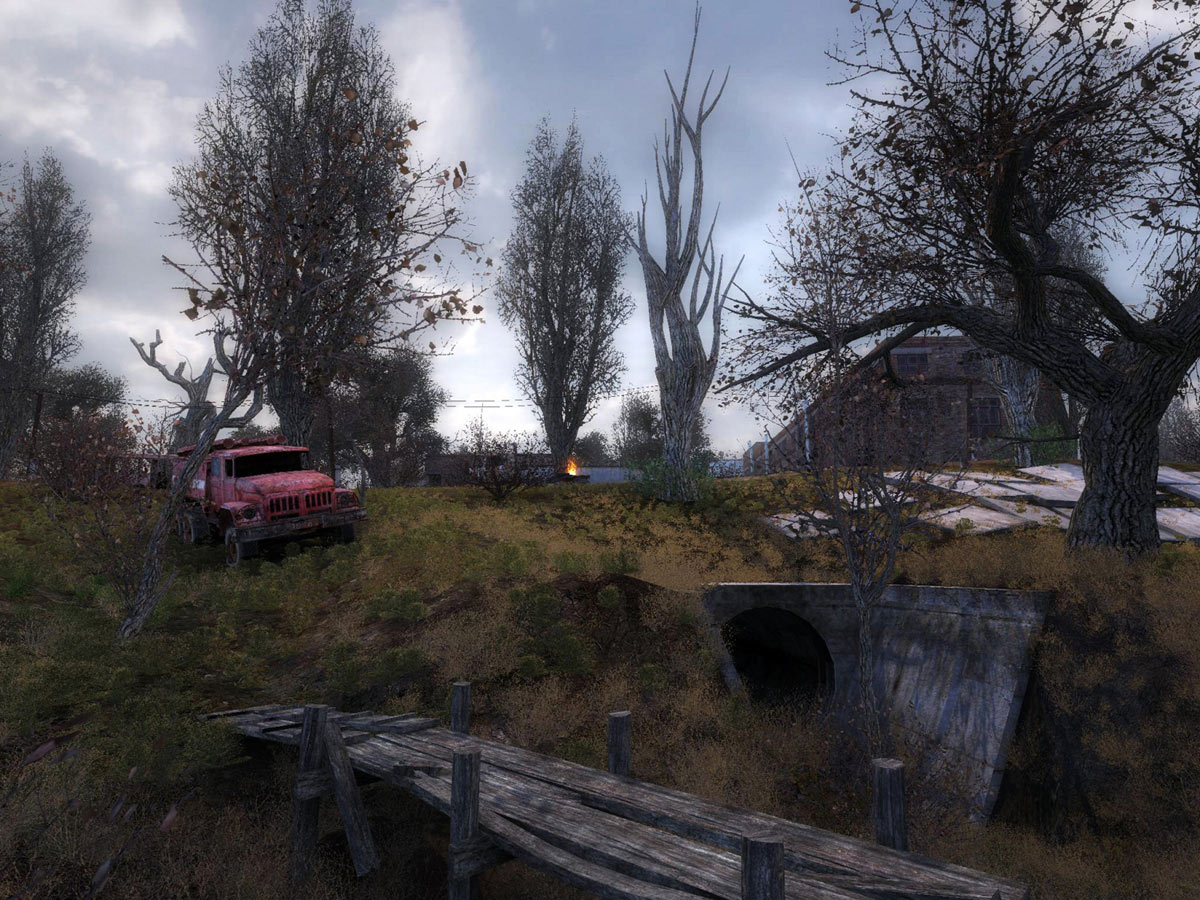
S.T.A.L.K.E.R.: Shadow of Chernobyl
S.T.A.L.K.E.R.: Shadow of Chernobyl uses the 'X-ray Engine' to power the graphics. It is a DirectX 8/9 Shader Model 3.0 graphics engine. Up to a million polygons can be on-screen at any one time, which makes it one of the more impressive engines on the market today. The engine features HDR rendering, parallax and normal mapping, soft shadows, widescreen support, weather effects and day/night cycles. As with other engines that utilize deferred shading (such as Unreal Engine 3 and CryENGINE2), the X-ray Engine does not support anti-aliasing with dynamic lighting enabled. However, a "fake" form of anti-aliasing can be enabled with the static lighting option; this format utilizes a technique to blur the image to give the false impression of anti-aliasing. The game takes place in a thirty square kilometer area, and both the outside and inside of this area is rendered to the same amount of detail.

Wolrd in Conflict v1.007

World in Conflict (also known as WiC or WIC) is a real-time tactical video game developed by Massive Entertainment and published by Sierra Entertainment for Windows and the Xbox 360. The game was released in North America on 18 September 2007 and was included in our testing as it is a recent DirectX 10 game title. It also has a threaded engine for multi-core processor support, which is ideal for this testing. The plot in World in Conflict is to defend their country, their hometown, and their families in the face of Soviet-led World War III, delivering an epic struggle of courage and retribution. You are a field commander leading the era's most powerful military machines in the heroic effort to turn back the invasion…one city and suburb at a time. Let's get on to the benchmarking! WIC was tested using the most recent patch available, which is patch number 007.

Benchmark Results: With low quality settings and a resolution of 1024x768 the AMD 780G chipset proved to be over 50% faster than the AMD 690G chipset in World in Conflict and S.T.A.L.K.E.R.! When it comes to Crysis the 780G was over 25% faster, which is still a huge improvement, but not as big of a jump. When it comes to gaming between the two chipsets the 780G is the obvious choice. To test out Hybrid CrossFire we used the Sapphire Radeon HD 3450 graphics card and found another nice jump in performance. The difference between the ECS A789GM-A and Gigabyte GA-MA78GM-S2H motherboards was a wash with the exception of World in Conflict.
Hard Drive and Audio Performance
HD Tach RW; Version 3.0.4.0
HD Tach will test the sequential read, random access and interface burst speeds of your attached storage device (hard drive, flash drive, removable drive, etc). All drive technologies such as SCSI, IDE/ATA, 1394, USB, SATA and RAID are supported. Test results from HD Tach can be used to confirm manufacturer specs, analyze your system for proper performance, and compare your performance with others. HD Tach is very easy to use, quick, and presents data in easy to read graphs, including the ability to compare two storage devices on screen at the same time for easy analysis.


Benchmark Results: Using a Western Digital WD1500ADFD Raptor hard drive as a secondary drive we tested hard disk performance on the 780G platforms and the results are shown above. Both the ECS and Gigabyte boards had the same random access score and the burst speed and average read speeds were too close to call a winner.
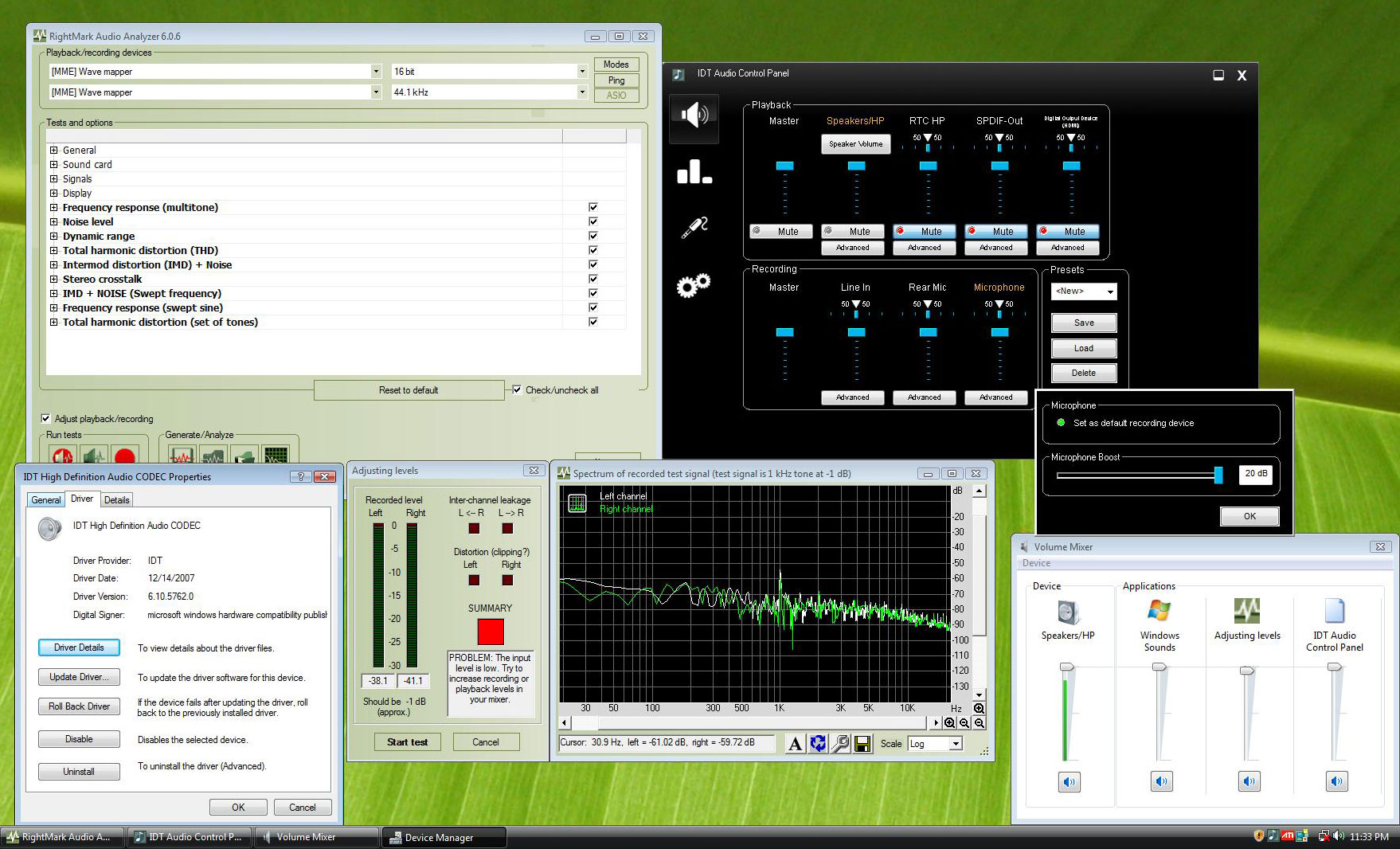
Rightmark Audio Analyzer; Version 6.0.6
The Rightmark Audio Analyzer suite is designed for testing quality of analog and digital paths of any audio devices, be it a sound card, an MP3 player, a consumer CD/DVD player or an acoustic set. The results are obtained by playing and recording test signals passed through the tested audio path by means of frequency analysis algorithms. To complete this test we ran an external loopback (line-out - line-in) for the audio on the motherboard.

The Gigabyte GA-MA78GM-S2H was able to complete the testing with no problems at all, but the ECS board was unable to run this test, which brings us to our concerns on the audio. The audio on the ECS A780GM-A pops when Windows Vista is on the splash screen when Windows is loading all the right drivers and crackles when games are being loaded. Something didn't seem right and Rightmark Audio Analyzer confirmed this.
Power Consumption
Since power consumption is a big deal these days, we ran some simple power consumption tests on our test beds. The systems ran with the power supplies, case fan, video card and hard drive model. To measure idle usage, we ran the system at idle for one hour on the desktop with no screen saver and took the measurement. For load measurements POV-Ray 3.7 was run on all cores to make sure each and every processor was at 100% load. All of the systems used identical hardware minus the motherboard and processor.

Results: The ECS A780GM-A used more power than the Gigabyte GA-MA78GM-S2H at an idle state and about the same at load. Our first that was to make sure C'N'Q was enabled, but it was in the BIOS. With Cool'n'Quiet enabled and disabled in the BIOS no difference was noted in power consumption at idle. This might be another BIOS bug!
IGP Overclocking
Overclocking the integrated graphics on the ECS A780GM-A motherboard has to be done in the BIOS as both AMD OverDrive and CATALYST Control Center don't have any GPU adjustments for this platform. The stock settings on the GPU core clock are 500MHz, but the sky is the limit in the BIOS. Our Gigabyte 780G motherboard was able to reach 800MHz, so we had high hopes for this ECS board as the heat sink looks larger. We tired 750MHz right off the bat and failed, so we backed it down a number of times and added a 120mm fan to cool this chipset as seen below.

With the fan keeping the chipset cooler we were able to get 627MHz stable with no other adjustments in the BIOS. This is not a bad overclock, but far from the 800MHz we were able to reach on the Gigabyte MA78GM-S2H motherboard.

A quick look at GPU-Z 0.1.9 showed that the default clock went from 500MHz to 627MHz. This is a 25.4% increase in the GPU core clock frequency on the Radeon HD 3200 integrated graphics!

By making one adjustment in the BIOS we were able to improve graphics performance by 15%, which is not bad considering we increased the GPU core clock frequency by 25.4%. With a voltage increase a higher overclock is possible, but active cooling is required for sure.
Final Thoughts and Conclusions
Going into this review we had high hopes for the ECS A780GM-A motherboard since and other AMD 780G boards we have looked at performed really well. After spending a few hours with it we knew we were in store for a rough ride. There is so much to talk about it's tough to pick a place to start, but let's give it a try!
The BIOS on the ECS A780GM-A Black Series motherboard is one of the roughest we have seen on a production board. With memory timing settings like the tRAS not correctly setting the value where it should be is not a good thing. The engineers and programmers over at ECS have this value off by 2 clocks. The 'Reserved' spaces in the memory settings don't need to be there, and don't get us started on the whole mV thing. Why anyone would design a BIOS with over-volting in millivolts is beyond our reasoning. It wouldn't be too bad if they informed you what the starting voltage was before you increase it! It also seems that Cool'n'Quiet is not functioning properly, which is a big deal for those looking for low power consumption numbers. ECS should be able to fix these BIOS issues very quickly if they wanted to, so we will keep our fingers crossed that they do after reading this conclusion.Credit By www.legitreviews.com
Walton Chaintech Announces The GeForce 9800GTX Graphics Card
Posted On at by adminWalton Chaintech just announced their GeForce 9 series graphics card, the APOGEE Series GAE98GTX. The CHAINTECH GAE98GTX graphics card’s core is clocked at 675MHz with 512MB GDDR3 memory, which means it is based off the reference design.

New CHAINTECH GAE98GTX graphics card’s core clock can reach as high as 675MHz with 512MB GDDR3 memory. It is embedded with 128 Unified Stream Processor that can bring blazing graphics performance with maximum quality for today’s most demanding shader model 4.0 games. An impressive 30%-50% advanced of performance is shown in the test result compared with 8800GTX. Comes with two DVI ports for digital signal output, the GAE98GTX graphics card also features an HDMI interface and an HDCP output that allows users connect the PC to multiple LCD TV or display without hassle. Each GeForce 9800GTX graphics card boasts a 256-bit memory interface and 512MB of super-fast GDDR3 memory of memory clock up to 2.2GHz, creating an ultra-realistic gaming experience at resolutions up to 2560x1600.
Super Talent Launches World’s Smallest 8GB USB Drive
Posted On at by adminSuper Talent Technology, a leading manufacturer of Flash storage solutions and DRAM memory modules, today announced three new 8GB USB Flash drives, including the world’s smallest 8GB drive. All three 8GB PICO drives are available from eWiz.com today for under $35.

These new drives include: PICO-A, with a swivel lid; the retractable PICO-B; and ultra small PICO-C. Super Talent’s patented PICO series USB drives are manufactured using chip-on-board (COB) technology, which enables up to 8GB of Flash storage to fit into an incredibly minute case. PICO-C drives weigh less than a nickel (about 4.7 grams) and measure only 31.3mm x 12.4mm x 3.4mm.
Buffalo Puts 1TB NAS in the Palm of Your Hand
Posted On at by adminBuffalo Technology today announced the latest addition to its high performance line of storage devices: the dual drive LinkStation Mini (LS-WS1.0TGL/R1). With its sleek, compact and light form factor, the new LinkStation Mini puts a massive 1TB in the palm of your hand while offering the same great features and protection that Buffalo's award-winning NAS devices are known for. Buffalo will also soon offer a 500GB version of the LinkStation Mini. The 1TB LinkStation Mini (LS-WS1.0TGL/R1) will be available in May at an estimated street price of $699.

The LinkStation Mini includes Buffalo's own Web Access feature, which allows users to easily access content stored on the device from anywhere in the world via a web browser. It also includes a Remote Power Feature, which can power up the unit remotely with the included Navigator software. The extra USB port allows users to add an additional external hard drive for expanded capacity or a printer that can then be shared via the integrated print server. It also supports UPS so you can gracefully shutdown the unit in the event of a power failure. The product measures only 1.57 x 3.22 x 5.31 inches and weighs a slight 1.1 pounds.
HP's Compaq 2133 ultraportable laptop has VIA inside!
Posted On at by adminHewlett-Packard unveiled its Compaq 2133 ultraportable laptop, which uses a C7-M microprocessor from Taiwan's Via Technologies instead of a chip from Intel. HP chose the C7-M because it met the thermal requirements needed for the 2133, according to Philip Devlin, a product marketing manager at HP Asia-Pacific, adding that Via has long provided microprocessors for HP's line of thin clients.

The 1.19-kilogram 2133 has an aluminum-alloy case and is priced from $499 to $899, depending on the configuration. The laptop comes with a C7-M processor running at 1GHz, 1.2GHz or 1.6GHz, and runs Windows Vista or SuSE Linux Desktop 10. Standard features include an 8.9-inch screen with a resolution of 1,280 pixels by 768 pixels, a nearly full-size keyboard, a Secure Digital (SD) memory card slot, and an ExpressCard slot. It also has wireless interfaces for Bluetooth 2.0 and 802.11b/g Wi-Fi.
Western Digital Introduces My Passport Essential Colors
Posted On at by adminJust in time to make a perfect gift for Mother’s Day, Western Digital today introduced 10 fresh new colors for its My Passport Essential Portable USB Drives. Weighing in at less than 5 ounces, My Passport Essential USB Drives put almost a third of a terabyte of digital storage in the palm of your hand and are available now at select retailers in 160GB ($119.99), 250 GB ($149.99) and 320 GB ($179.99) capacities .

My Passport Essential Drives are simple to use, light and easy to carry, and require no power adapter -- they are powered directly through the USB cable. Equipped with sync and encryption software for easy file transfer, the mega-capacity of the My Passport Essential Portable USB Drive makes it simple to securely carry thousands of songs, videos or photos. "Our striking new color selection gives our customers an opportunity to express their unique style, while securely storing and carrying the massive amounts of rich content generated by higher resolution cameras, HD videos and music," said Jim Welsh, vice president and general manager of WD’s branded products and consumer electronics groups.
Walton Chaintech Announces the Overclocked GeForce 9600GTC 512M Video Card
Posted On at by adminWalton Chaintech has introduced the performance enhanced CHAINTECH GSE96GT Overclocking Edition video card that is part of the NVIDIA GeForce 9600 series with the G94 GPU. The overall performance of new CHAINTECH 9600GTC 512MB has raised about 15% compared with 9600GT for benefiting a wide array of 3D oriented applications, is born with the well-proportioned beauty of descent price and performance for power users.

Positioned to be the next star of performance graphics card in 2008, the light-weighted, single-slot CHAINTECH 9600GT 512MB OC Edition is considered an evolution of 9600GT advancing itself from 650 MHz core clock to 735 MHz with running on a 256-bit bus. The full-throttle memory solution GDDR3 512MB which CHAINTECH 9600GT 512MB OC Edition adopts now enables the card to run up to 1900 MHz.
Logitech Cordless MediaBoard Pro Keyboard for PS3 & PC
Posted On at by adminIntroducing Logitech’s MediaBoard Pro

Today, we take a look at Logitech’s Cordless MediaBoard Pro Keyboard designed for Playstation 3 as well as Bluetooth enabled PCs. It’s rare that a peripheral manufacturer launches a product that not only serves the gaming console community, but also the PC enthusiast community, so when we saw that Logitech had released a new gaming keyboard, we wanted to take a closer look.
The Logitech Cordless MediaBoard Pro Bluetooth Keyboard was specifically designed for use with the Sony Playstation 3 computer entertainment system. The designers at Logitech wanted PS3 users to have a better experience while navigating the Playstation network. The keyboard exists to make it easier and faster to manage accounts, text messenger with friends, surf the net, and navigate Playstation menus.

Beyond the MediaBoard Pro’s interoperability with the PS3 lies a very capable Bluetooth keyboard that should be able to connect with existing Bluetooth enabled PCs. Apple’s Wireless Keyboard has been on of the most successful making it’s living as the wireless keyboard of choice for the Mac-heads, so looking at Logitech’s MediaBoard with a suggested retail the MediaBoard seems to edge the Apple keyboard with its more robust features. One seems to get more functionality from the MediaBoard because it not only features a full sized keyboard, but an integrated touchpad and dedicated media keys to make surfing from your sofa easy. Let’s take a closer look to see just how versatile this keyboard is.
From the first look, this keyboard looks incredibly nice. The black piano finish matches the Playstation3 perfectly and the slim design means you should be able to store the keyboard away with very little effort. The MediaBoard features a dedicated Menu button that takes people directly to the Playstation Network Help menu. Logitech also included the PS3 action buttons – circle, X, square, and triangle for quick action and confirmation when navigation or in-game.
Key Specifications:
- 2.4 GHz wireless technology
- Integrated touch pad with vertical scrolling
- Quick media keys
- Slim, stylish design
Installing and Using MediaBoard with PS3

We used Logitech’s Cordless MediaBoard Pro in a variety of situations. Obviously, the keyboard was made for use with the Playstation3, so the first environment we tried was using it as we were setting up and navigating Sony’s Playstation Network.

Syncing the MediaBoard keyboard with our Playstation3 was surprisingly easy. After installing the 2 “AA” batteries that Logitech provided, we placed the MediaBoard Pro in its “discovery” mode. Our Playstation picked up the device quickly and installed it. The process was so quick, that we actually thought we did it incorrect, until we noticed that the flashing indicator on the keyboard was telling us that we were indeed synced. Visual confirmation from the Playstation on screen let us know that we were ready to roll. The total process took less than a minute.
Typically, when Playstation users want the functionality of a keyboard and mouse, they connect the two devices to an open USB port on their Playstation units. Most times, the cords from the keyboard and mouse aren’t long enough for you to sit back and play, surf or chat without having a jumble of wires all over the place. The MediaBoard Pro is great in the fact that you now have wireless freedom and ability to actually type like a grown-up - compared to the hunt-and-peck with the PS3 controller.

Immediately after the installation, we were reaping the benefits of having a wireless keyboard and pointing device. We could use the touchpad and the arrow keys to navigate around the PS3 menu, and on the Playstation Network life was much better when browsing the internet, chatting with friends, or spending credits at the Playstation Store. The keyboard allowed users to quickly set up profiles, enter web addresses, and send out text messages on the PS3 network.
The MediaBoard is worth its weight in gold while listening to music or watching movies. No more hunting around to figure out how to pause, FF, or FW. The media keys are very convenient and are placed in a great location. Logitech has been making keyboards for a long time and their expertise certainly shows in how their layouts.

While playing games like The Elder Scrolls IV: Oblivion for the PS3, the keyboard is a welcome tool as you are constantly chatting or typing out orders with your fellow in-game players. Many other games already support keyboard and mouse control, and in the future we will see more and more game developers wanting their users to enjoy complete control that a keyboard and mouse can give.
Using the MediaBoard with a PC

Not all of us are lucky enough to have a Sony Playstation, but most of us have a PC at home or at work. For those looking for an great all-in-on keyboard/mouse combo, the Logitech MediaBoard Pro should attract your attention. Even though the keyboard was designed for use with the Playstation, the MediaBoard has a number of features that Home Theater PC users or those wanting a cordless keyboard would love.

The MediaBoard Pro easily paired with our Bluetooth-enabled PCs and was able to work close to the advertised 30 feet away from the computer. It turned out to be even more useful than the wireless keyboard that we had for the LR Bunker’s HTPC. Instead of having to find the mouse and make sure that it was charged each day, the Logitech MediaBoard is a complete all-in-one solution. Very much like working on a laptop with the touch pad and full keyboard – including navigation. The one glaring item that is missing though is the traditional "Windows" key that many HTPC users cherish. Logitech instead includes a "left mouse button" and "right mouse button" on the keyboard - not the best trade, in my opinion.

Some may not like the tactile feedback you get from the MedaBoard Pro, but for me, the keyboard feels fine – a lot like a laptop keyboard. The keyboard is extremely light and using it for long periods of time doesn’t burn your lap like your notebook will tend do. The media keys even work when you are listening to music or watching a video.
The biggest limitation we found with the Logitech’s MediaBoard Pro was that you could only pair the keyboard with one Bluetooth device at a time. If you want to share the keyboard between your PS3, Home Theater PC, and your desktop PC, you will have to sync the MediaBoard each time. Initiating pairing on the keyboard isn’t bad (just hold down the reset button while powering on), but in general, we found it a pain.

At $70 this keyboard is priced very competitively. When you look at the lack of Bluetooth keyboards on the market, Logitech is the only one to really deliver with a full-sized Bluetooth keyboard perfect for home theater PCs. Apple’s Wireless Keyboard is the closest thing we could find that compares to the MediaBoard functionality and size. Logitech trumps Apple with a fully functioning touchpad, navigation and dedicated media keys for roughly the same price. The fact that the MediaBoard Pro works and matches seamlessly with Sony’s Playstation 3 is just icing on the cake.

Credit By www.legitreviews.com
CyberLink Launches PowerDVD 8
Posted On at by adminCyberLink launched the latest version of PowerDVD 8 early this week for those that are interested in having a new media player. Featuring maximum playback performance in supporting the latest high-definition video and audio formats, CyberLink PowerDVD 8 introduces new ways for consumers to enjoy movies beyond just watching.

"Now CyberLink PowerDVD 8 not only offers the best movie experience on the PC, it offers a totally new way to get immersed in movie entertainment," said Alice H. Chang, CEO of CyberLink. "PowerDVD extends the user experience from the realm of watching movies on the PC to a new online universe of shared experiences. With a built-in database for organizing a movie collection, and the ability to share information, opinions, and remixes via the online community MoovieLive, PowerDVD users now have more ways than ever to enjoy movies."
Antec Introduces The Three Hundred PC Case
Posted On at by adminAntec today launched the Three Hundred enclosure. Built on the Nine Hundred's success in the market, this affordable enclosure combines versatility, convenience and robust cooling to deliver an unbeatable value.

Standing 18 inches tall and weighing 15.9 pounds, the Three Hundred is an exceptionally manageable case, but still has enough space for nine drive bays and seven expansion slots. It can accommodate up to a standardATX motherboard, and has room for even the tallest graphics cards, including the NVIDIA 8800 series graphics card and the ATI HD 3800 series. This makes Three Hundred a very scalable case, providing gamers with the room for cutting-edge components and system builders the flexibility to meet their customers' demands.
Kingston Technology Teams with Ricky Martin For microSD Card
Posted On at by adminKingston Technology just sent over an e-mail letting us know that Amazon.com is now offering an exclusive offer of a Kingston 1GB microSD memory card and USB reader that comes preloaded with music and video content from Grammy-winning Latin American artist, Ricky Martin. The kit includes 2 free songs, a video clip and photos from Martin's Black & White tour. The Kingston/Ricky Martin-themed microSD card/USB reader kit, Kingston part number: (KC-B041G-1FAQ). This is a great way to start using your phone as an MP3 player as 'Somos la Semilla' and 'Tu Recuerdo' are already in MP3 file format and ready to play along with the music video

"I am very excited by the new avenues for sharing music that technology continues to provide,” said Ricky Martin. "I enthusiastically embrace these new formats. They mean global growth for not only my music — but for all music — and that's why I'm very happy to form this alliance with Kingston.” "The microSD Ricky Martin Live Card from Kingston is an innovative way for savvy consumers to enjoy Ricky Martin's music,” said Seth A. Schachner, Vice President, Digital Business Latin America, Sony BMG Music Entertainment. "It's also a terrific, versatile product to boot.”
Walton Chaintech Announces The GeForce 9800GTX Graphics Card
Posted On at by adminWalton Chaintech just announced their GeForce 9 series graphics card, the APOGEE Series GAE98GTX. The CHAINTECH GAE98GTX graphics card’s core is clocked at 675MHz with 512MB GDDR3 memory, which means it is based off the reference design.
New CHAINTECH GAE98GTX graphics card’s core clock can reach as high as 675MHz with 512MB GDDR3 memory. It is embedded with 128 Unified Stream Processor that can bring blazing graphics performance with maximum quality for today’s most demanding shader model 4.0 games. An impressive 30%-50% advanced of performance is shown in the test result compared with 8800GTX. Comes with two DVI ports for digital signal output, the GAE98GTX graphics card also features an HDMI interface and an HDCP output that allows users connect the PC to multiple LCD TV or display without hassle. Each GeForce 9800GTX graphics card boasts a 256-bit memory interface and 512MB of super-fast GDDR3 memory of memory clock up to 2.2GHz, creating an ultra-realistic gaming experience at resolutions up to 2560x1600.
ATI FireGL V7700 3D Workstation Graphics Card Now Available
Posted On at by adminAMD today announced it is advancing application performance with stunning imagery through the introduction of the first commercially available 3D workstation graphics card with DisplayPort support. The ATI FireGL V7700 professional graphics accelerator provides superior rendering speed, 3D performance and color fidelity for Computer Aided Design (CAD), Digital Content Creation (DCC) and Medical Imaging professionals. ATI FireGL V7700 delivers the top-quality image quality needed to create photorealistic visualizations of real-world objects and environments —like the design concept for a new aircraft or a home remodel—by providing designers with The Ultimate Visual Experience.

The new ATI FireGL V7700 workstation graphics accelerator with DisplayPort support brings The Ultimate Visual Experience to life. The card features a 10-bit display engine that can produce more than one billion colors at any given time, delivering unprecedented image fidelity at a lower cost. “Our customers are eager to adopt the latest standards like DisplayPort and PCI Express 2.0 that make their environments more productive while delivering next-generation display capabilities today,” said Peter Chen, president, Exxact Corporation.


